


Features Credential wallet
Your credentials, in one place
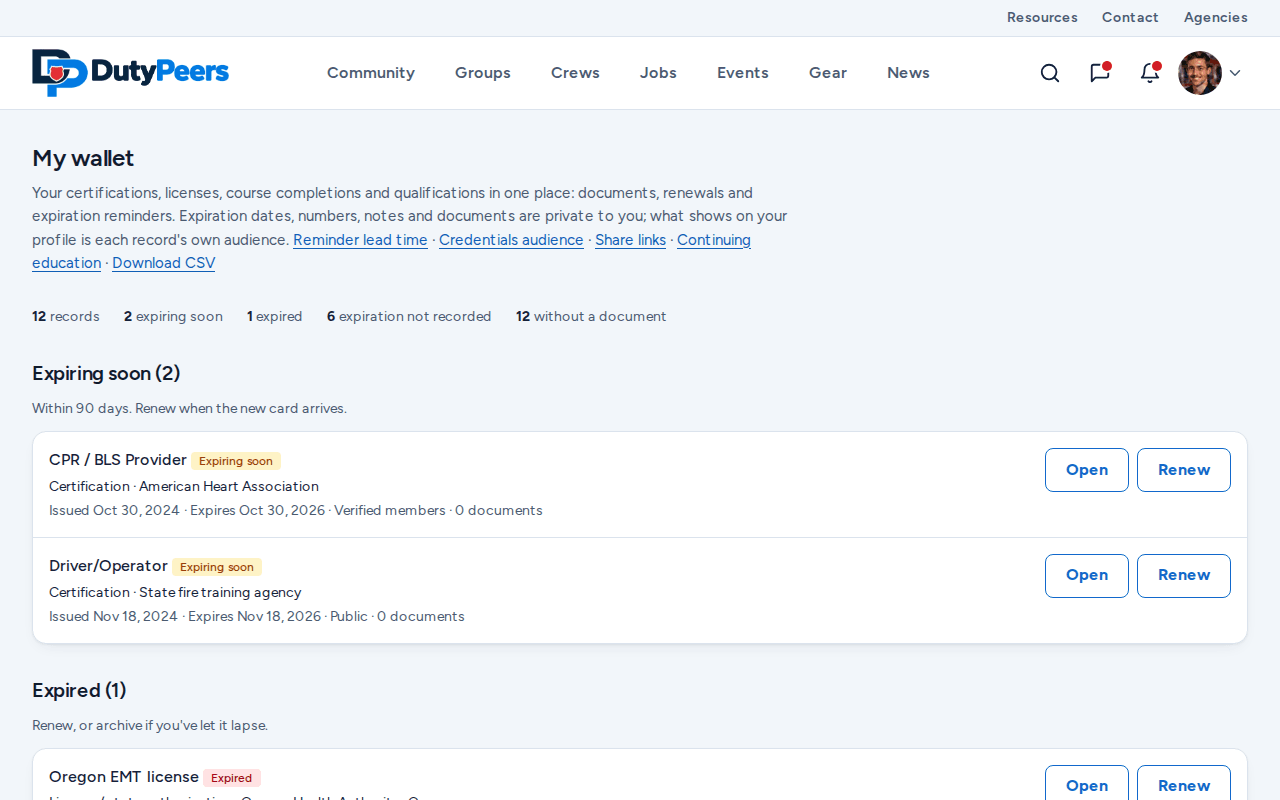
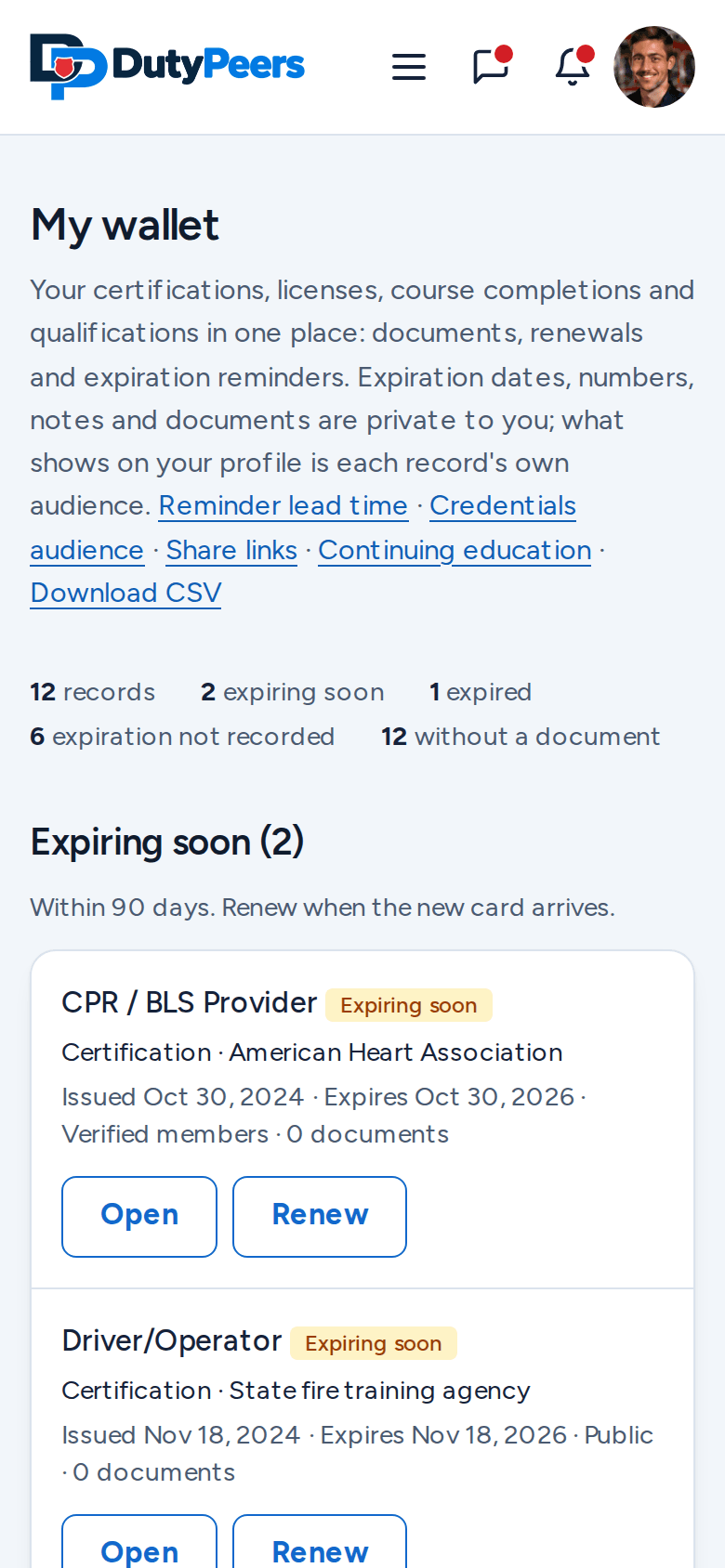
The wallet keeps your certifications, licenses and course completions with their documents and expiration dates. It reminds you before one runs out and helps you renew. You decide who sees what.
What it is
A private list of your records. A record can be a certification, a license or state authorization, a course completion, an agency qualification or a task book.
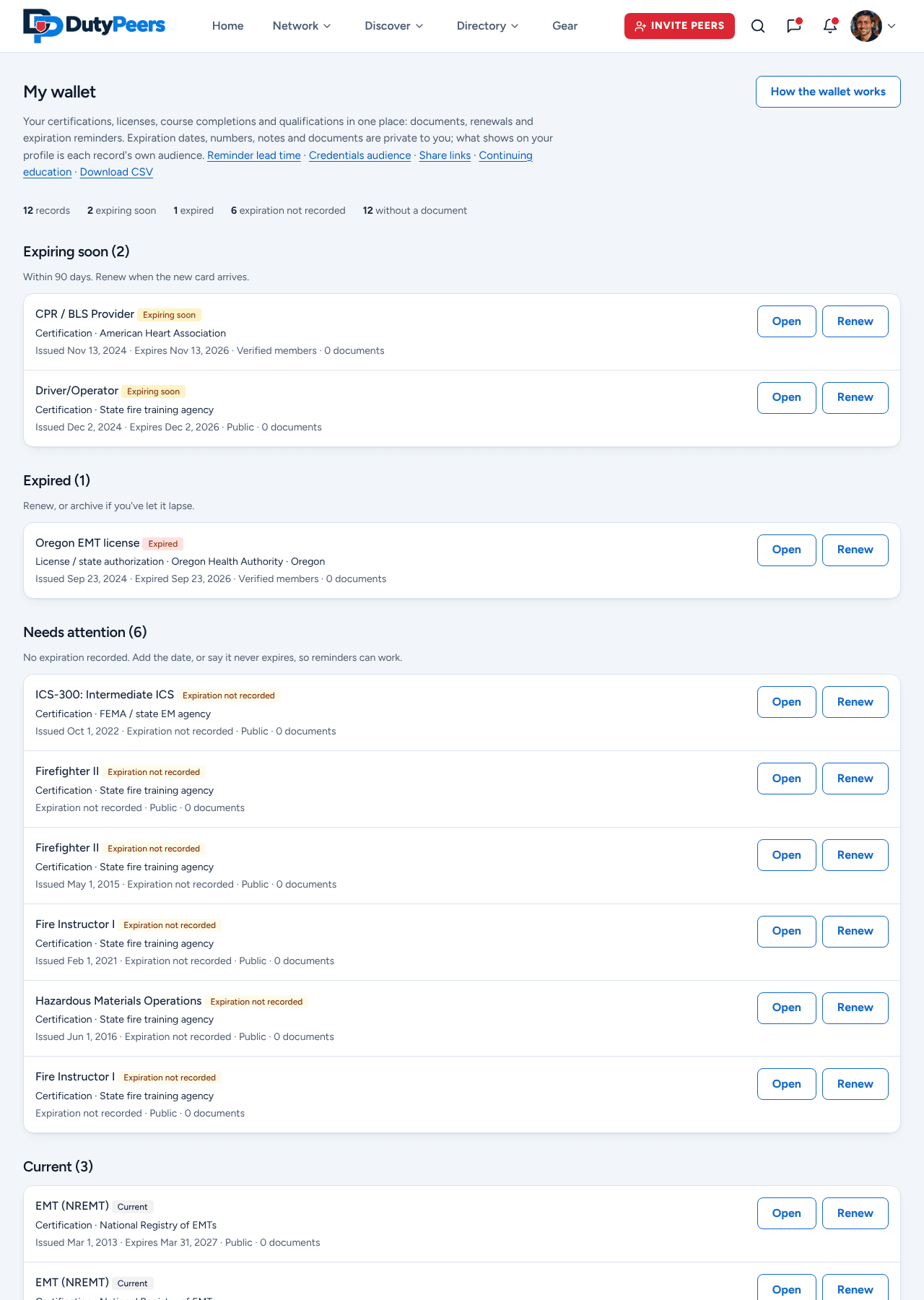
Your wallet sorts them by what needs you next: Expiring soon (within 90 days), Expired, Needs attention (no expiration recorded) and Current. Renewed and archived records move to History.
It is a record you keep, not a check. DutyPeers does not review your cards or confirm they are real. Each record shows what you entered. The wallet is part of a member account.
Add a credential
Pick from the list or enter your own. The list covers common credentials, such as NREMT levels, AHA BLS, ACLS and PALS, PHTLS, state fire training, POST peace officer certification, APCO and IAED dispatch credentials, NENA, FEMA ICS and NIMS courses and the IAEM Certified Emergency Manager. Choose “Something else” for anything not listed.
- Set the record type and, for a license, the state or province.
- Add the issue date and say whether it expires: on a date, no expiration, or not recorded.
- Add the credential number and a private note if you want them.
- Choose who can see the record.
“Not recorded” is not the same as “no expiration”, and the wallet keeps them apart.
Documents
Attach the card, certificate or letter to its record. Add up to 10 per record, as PDF, JPG or PNG files of 10 MB or less. Only you can open them. Each opens through a link that works for a few minutes.
The wallet shows how many records have no document yet.
Reminders and renewals
Turn on reminders for a record when it has an expiration date. Reminders are off until you choose a schedule.
- Standard: 60, 30 and 7 days before. Your first reminder can be 30, 60 or 90 days out (Settings, Notifications).
- Full: 90, 60, 30 and 7 days before, the day it expires, and 7 days after.
- Shorter choices: 30 and 7 days, or 7 days only.
Snooze pauses reminders for a week or a month. Mark renewal underway stops them for that record while you finish. Neither changes the expiration date.
Renew starts a new record from the old one, with the details filled in. You add the new dates and documents. The old record moves to History and its reminders stop. The new one starts fresh. Where we have the issuer's renewal page, the record links to it.
Archive takes a record off your profile and out of reminders and keeps it in History. You can bring it back. Every record keeps a change history that only you can see.
Continuing education hours
Log the courses, conference sessions and training you complete. For each, record the provider, the date, the amount in hours, CEUs or credits, a category, the format and an approval number if there is one. Link it to the records it counts toward. Totals by year and category are what you logged.
Requirements
Our staff set up requirement sets, such as the hours needed in a renewal cycle, with minimums by category and carryover. Where one fits your record, you can track the record against it and see, for example, “20 of 48 hours” and how many are left.
The numbers come from the hours you logged and linked to that record. Nobody reviews them. They are a guide, not a finding that you meet a requirement. Check with your issuer for the rules that apply to you.
Export
Download your wallet as a CSV file from the wallet page. It lists your records, archived ones too, with dates, type, audience, reminder choice and a count of documents. The files themselves are not in the CSV.
The full data download in your settings also carries your documents, history, hours log and share links.
On your home and profile
Your home page has a wallet card. With no records, it offers to set up your wallet. With records, it shows how many you have and how many expire soon, the next three expiration dates and a link to your wallet. Archived records are not counted. Only you see this card.
Not for you? Choose Hide this card at the foot of it. In Settings, Appearance, the Hidden cards list has Show your wallet again.
On your profile, records appear under Training & credentials, by each record's audience.
Retired members
If your profile says Retired or veteran, your home card shows a Retired badge and how many items you keep in your wallet. It leaves out the expiring and expired counts and dates, so it never nags. Your wallet itself works the same as for everyone else.
There is a place for you here.
Career, volunteer, paid-on-call or reserve. Public safety only, no ads, and private by default.
Opening in waves with an invite link or code.